Step 1: How to Adapt a Simulink Model to Make it RTT-Capable
Objective
In this step, you will learn how to adapt a Simulink model from the RTI CAN MultiMessage Blockset Tutorial to make it RTT-capable.
Basics
- Real-time application
Real-Time Testing provides no ready-to-use real-time application for CAN communication. Instead, you will enable experimental messages in a Simulink model, provided by the RTI CAN MultiMessage Blockset Tutorial, to make the model RTT-capable.
In ConfigurationDesk, you can start the build process to get a real-time application that can be used for CAN communication on a SCALEXIO system with the
rttlib.canlibmodule.Note
As of dSPACE Release 2025‑A, you can no longer use the rttlib.canlib module on SCALEXIO systems. The support of the RTI CAN MultiMessage Blockset for SCALEXIO was removed.
- Experimental messages
The RTI CAN MultiMessage Blockset provides experimental messages that let you enable CAN message handling with Real-Time Testing by specifying the number of additional experimental messages.
Preconditions
MATLAB/Simulink is installed on your host PC.
The RTI CAN MultiMessage Blockset is installed on your host PC.
Your SCALEXIO hardware is connected to your PC and registered.
Part 1: To prepare a Simulink model for a SCALEXIO system
Start MATLAB and create a new folder named
RTTCANMMTutorialin your working folder.In MATLAB, change the Current Directory to your RTTCANMMTutorial folder.
In the MATLAB Command Window, type
rticanmm_tutorialand press Enter.The rticanmm_tutorial_lib library opens.
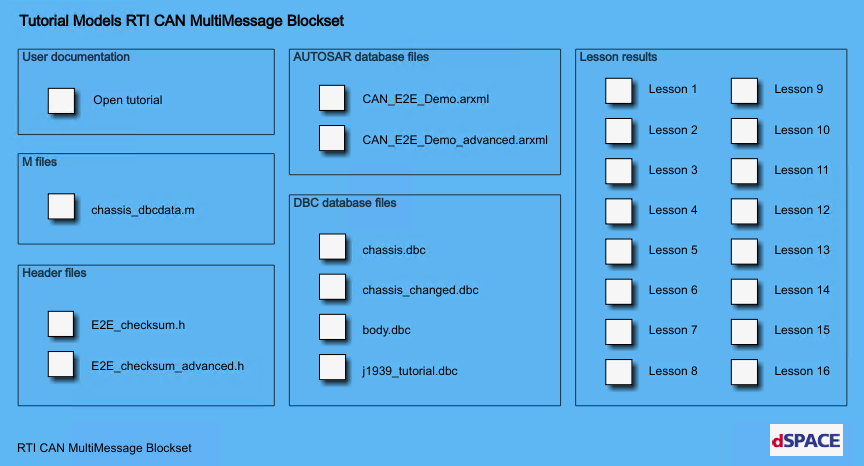
In the rticanmm_tutorial_lib library, double-click Lesson results – Lesson 1 and copy the model to your RTTCANMMTutorial folder.
In the RTTCANMMTutorial folder, double-click
TutorialModel.slx.The model opens in MATLAB/Simulink.
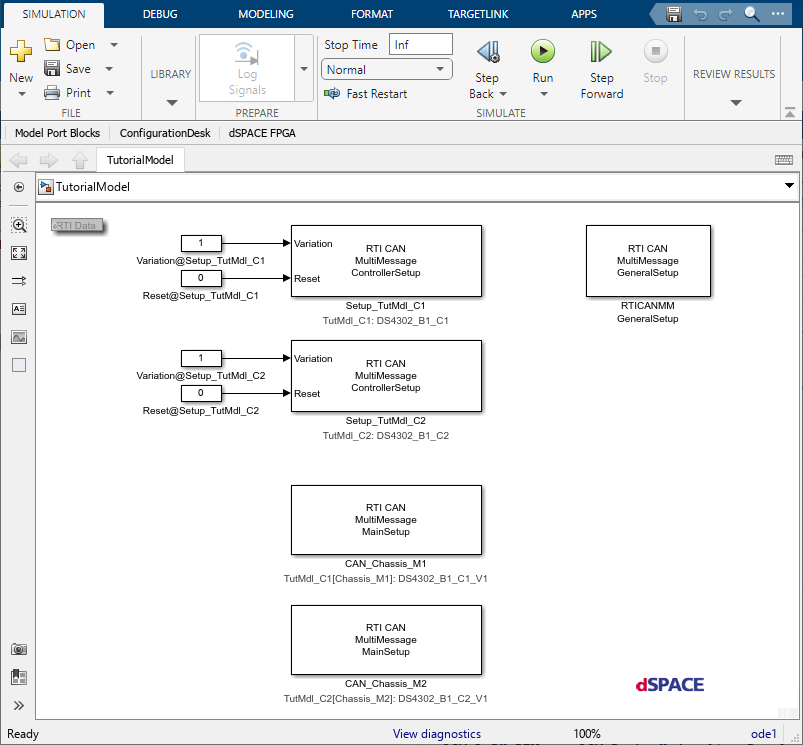
On the SIMULATION ribbon, click PREPARE – Model Settings.
The Configuration Parameters dialog opens.
On the Code Generation page, click Browse to change the
System target file.The System Target File Browser dialog opens.
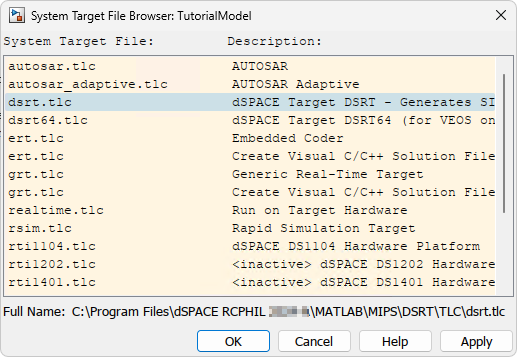
Select dsrt.tlc (the system target file of SCALEXIO systems) and click OK.
In the Configuration Parameters dialog, click OK.
Interim result
You have prepared a Simulink model from the RTI MultiMessage Blockset Tutorial so that you can use it on a SCALEXIO system. Continue with the next part to enable experimental messages.
Part 2: How to enable experimental messages for Real-Time Testing
In your model, double-click the RTICANMM GeneralSetup block.
The RTICANMM GeneralSetup dialog opens.
In the dialog, select Options – Create S-Function for All CAN Blocks.
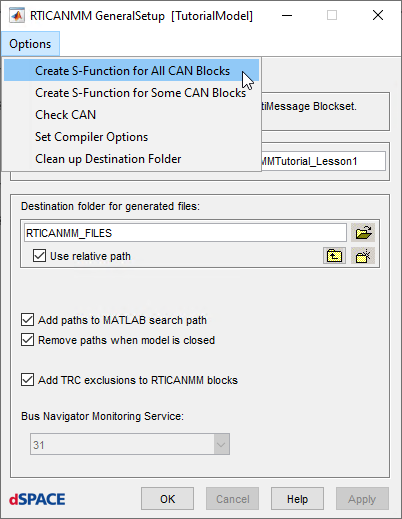
An S-Function is created for all CAN blocks.
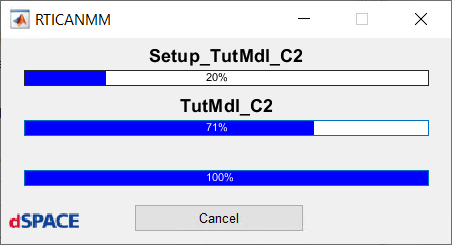
In the RTICANMM GeneralSetup dialog, click OK.
The RTICANMM GeneralSetup dialog closes.
Double-click CAN_Chassis_M1.
The CAN_Chassis_M1 dialog opens.
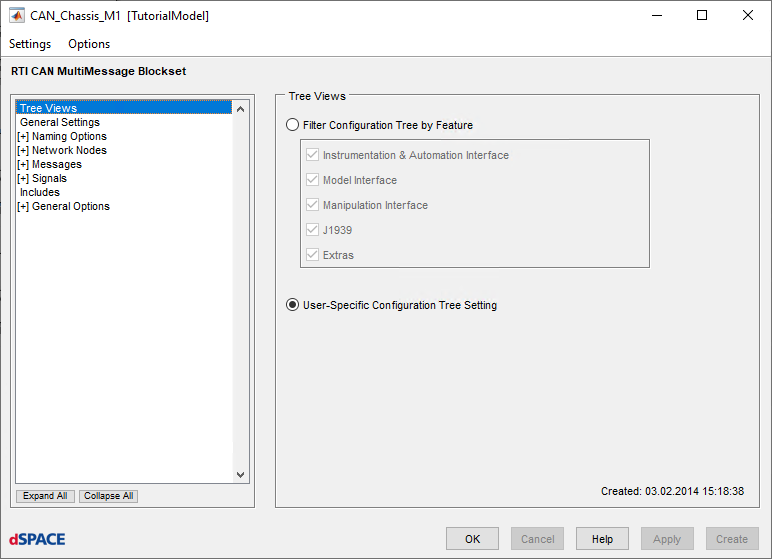
In the dialog tree, expand General Options and select the Experimental Software page.
In the CAN Replay and real-time testing CANLib edit field, enter 10.
This specifies the maximum number of experimental CAN messages that you can use for Real-Time Testing.
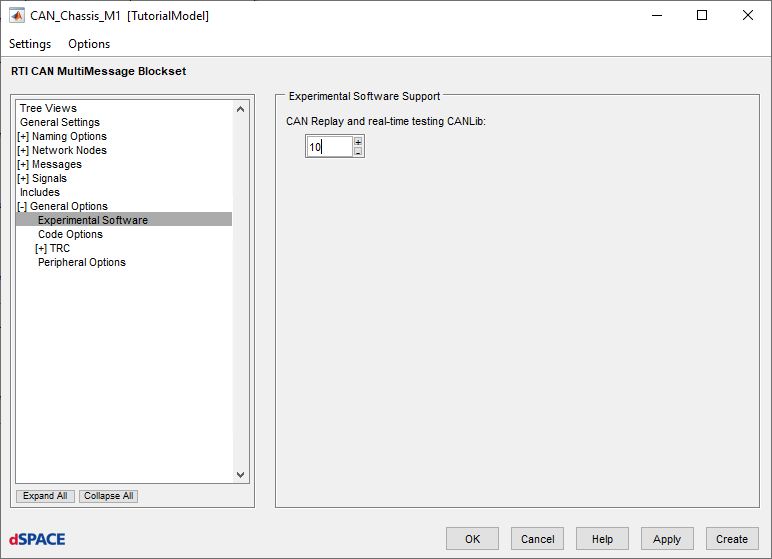
Click Create.
The RTICANMM_MAIN_Chassis_M1 dialog opens.
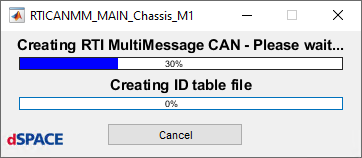
All the files required for the RTICANMM communication, such as an S‑function, are created automatically.
Click OK to close the CAN_Chassis_M1 block.
On the SIMULATION ribbon, click FILE – Save.
Result
You have adapted a Simulink model from the RTI CAN MultiMessage Blockset Tutorial. The model is required to implement CAN communication via Real‑Time Testing with the rttlib.canlib module on a SCALEXIO system. In the next step, you will build a real‑time application with ConfigurationDesk.