Step 1: How to Start the TurnSignalTests
Objective
In this step, you will learn how to start the TurnSignalTests.
Basics
- Batch file
All ready-to-use demos are provided with a batch file. You can use these batch files to start the ready-to-use demos. You will be guided through all required steps to start the demo.
- RTT sequences
The TurnSignalTests demo contains 10 RTT sequences (
RTT_T010_TurnSignalLeft.pytoRTT_T090_EngineStartPhaseTest.py) to execute different tests. You can choose single tests but you can also start test runs with several or all RTT sequences at once.
Method 1: How to Start the TurnSignalTests with the batch file
Open ControlDesk.
On the Home ribbon, click Status Control – Start Measuring.
ControlDesk globally starts measurement for the platform in the current experiment.
In the File Explorer, navigate to your
Work folderand double-click the batch file:…\14_TurnSignalTests\StartDemo.bat.The Windows Command Prompt opens.
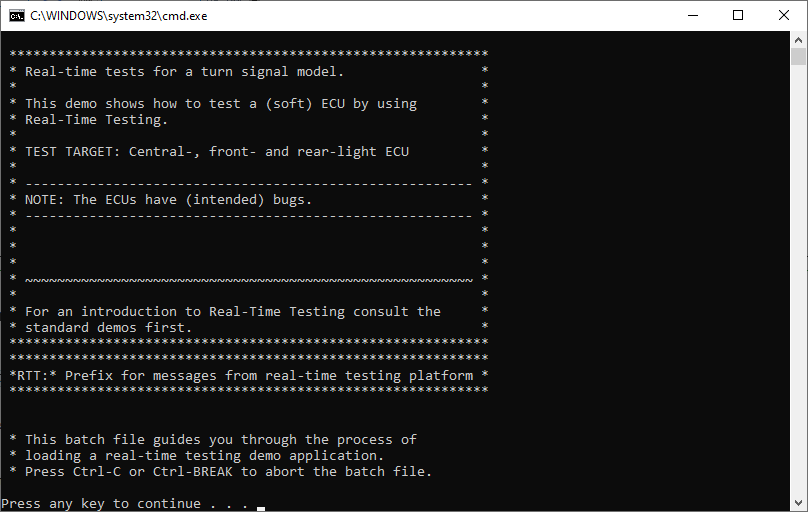
Follow the instructions in the Windows Command Prompt and start the tests:
T020 Turn signal rightT070 Monkey test for turn signal lever
You can compare your results with the following animated graphic:
Method 2: How to Start the TurnSignalTests with the loader script
Open ControlDesk.
On the Home ribbon, click Status Control – Start Measuring.
ControlDesk globally starts measurement for all platforms/devices in the current experiment.
In the File Explorer, navigate to your
Work folderand double-click the loader script:…\14_TurnSignalTests\Python\RTTTurnSignalTests.py.Start the loader script without arguments.
You will get a detailed description of the required inputs to start the TurnSignalTests.
To start the tests
T020 Turn signal rightandT070 Monkey test for turn signal leverstart the loader script again but now with arguments that fit to your simulation platform.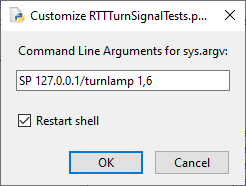
The required arguments are:
Single-core or multicore simulation platform:
SPorMP.The variable
BoardNameas used in the previous lessons. For a detailed description, refer to Step 3: How to Write Your Own RTT Sequences and Loader Scripts.A comma-separated list of the tests to be executed:
0,1,…,9orAto run all tests.
You can compare your results with the following animated graphic:
Result
In this step, you have learned how to start the TurnSignalTests with the provided batch file and with the loader script.
What’s next
With this step, you finished the fourth lesson of this tutorial and you have learned how to use the TurnSignalTests demo. For a summary of your working results and for further information, refer to the result of this lesson.