How to Prepare the Host PC
Objective
Preparing the host PC to connect and access MicroLabBox II.
Workflow
Part 1: To set a static IPv4 address
On the host PC, press Win + R to open the Run dialog.
Enter
ncpa.cpl. The Network Connections page opens.Right-click on the local area network (LAN) adapter to be used and select Properties.
The properties dialog opens.
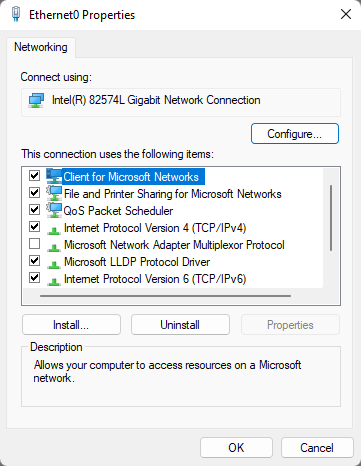
Select the Internet Protocol Version 4 (TCP/IPv4) item and click Properties.
The Internet Protocol Version 4 (TCP/IPv4) Properties dialog opens.
Open the Alternate Configuration tab.
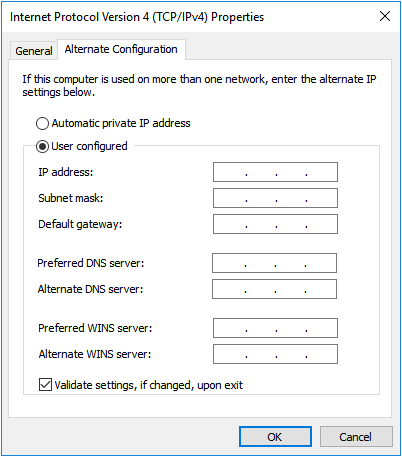
Enter the following alternate IPv4 configuration.
IP address, for example
192.168.140.100.You can enter any IP address in the range
192.168.140.1…192.168.140.254, except the IP address of the MicroLabBox II. The default IP address of the MicroLabBox II is192.168.140.10.Subnet mask
255.255.255.0.
Click OK.
Part 2: To install ControlDesk
Install the dSPACE Release software:
Start dSPACE Setup (
Install_Release.exe).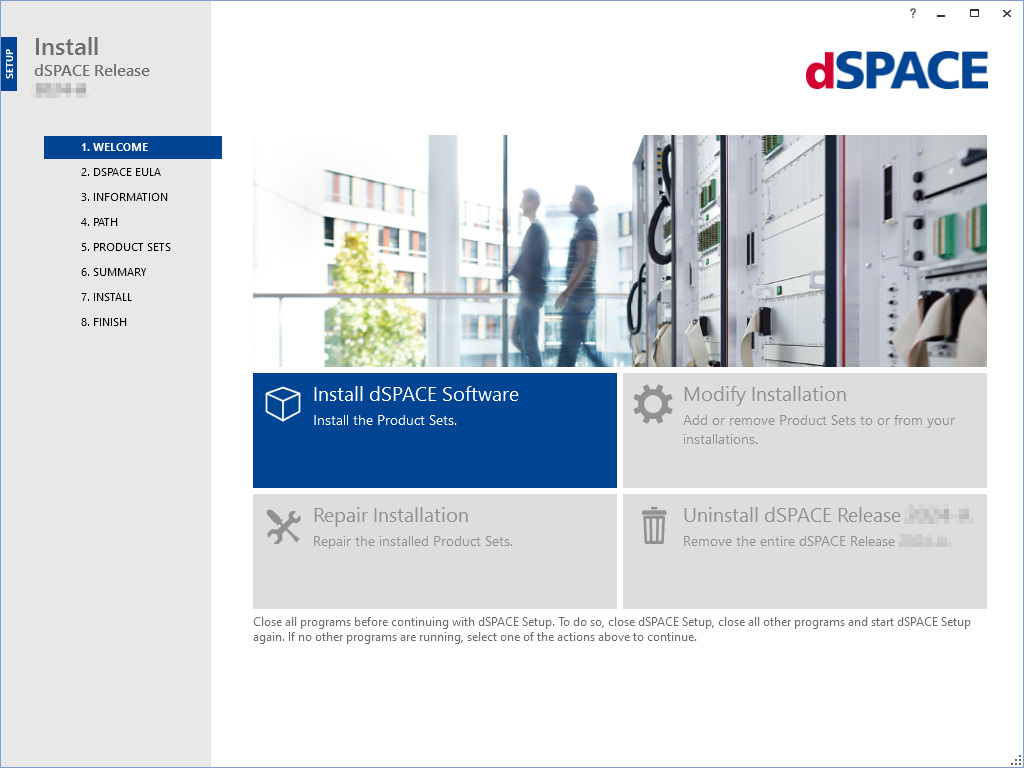
Follow the dialog to install the dSPACE software.
Select the ControlDesk product set.
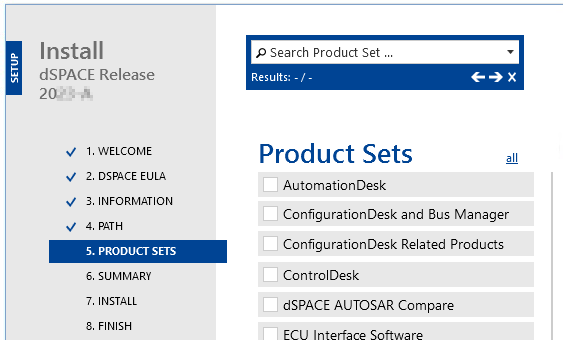
For instructions, refer to How to Install dSPACE Software.
For an overview on the product sets, refer to Information About Product Sets.
Open the dSPACE Installation Manager and activate your ControlDesk license.
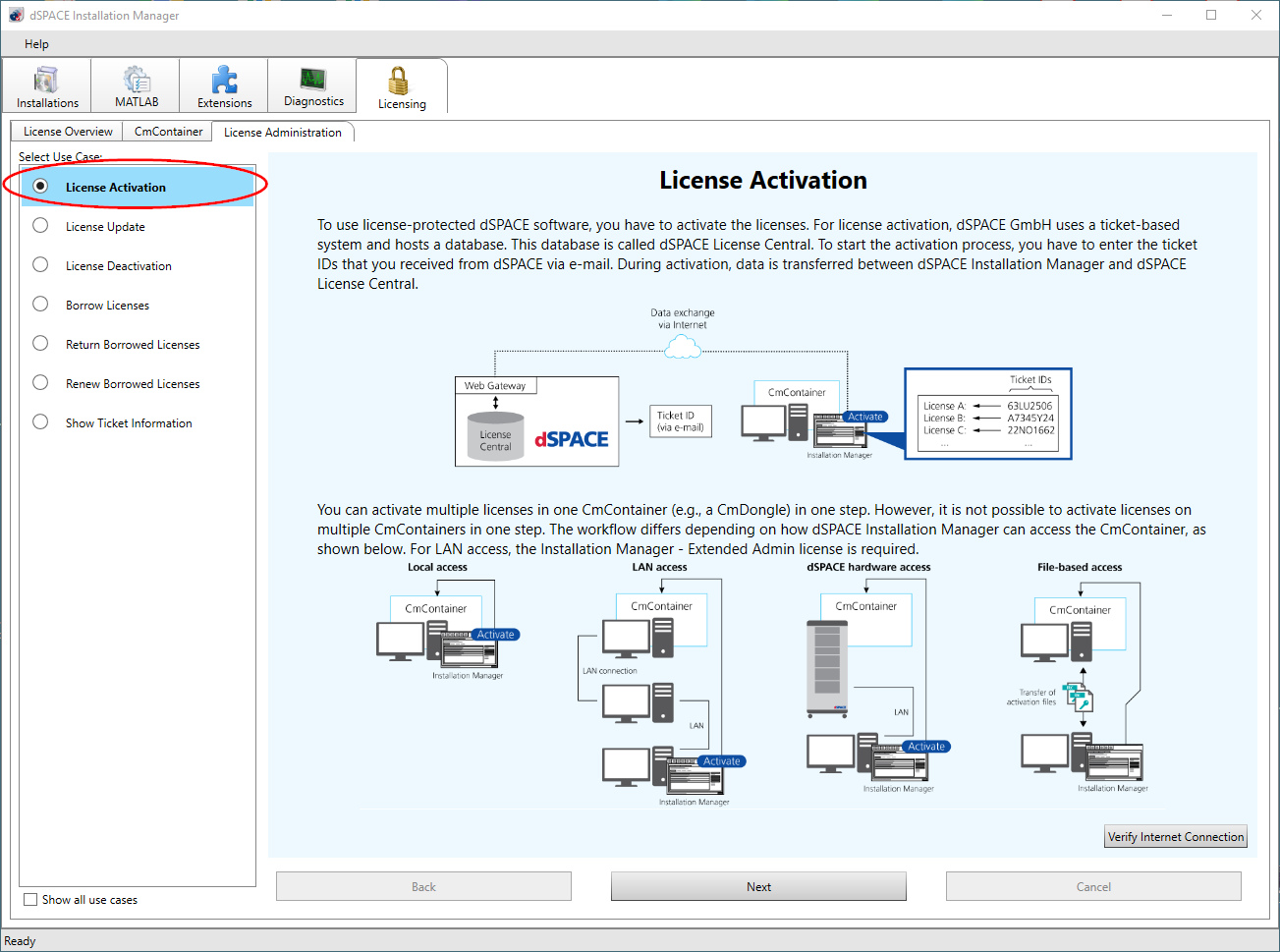
For instructions, refer to License Activation.
Decrypt software archives of your dSPACE installation with the dSPACE Installation Manager.
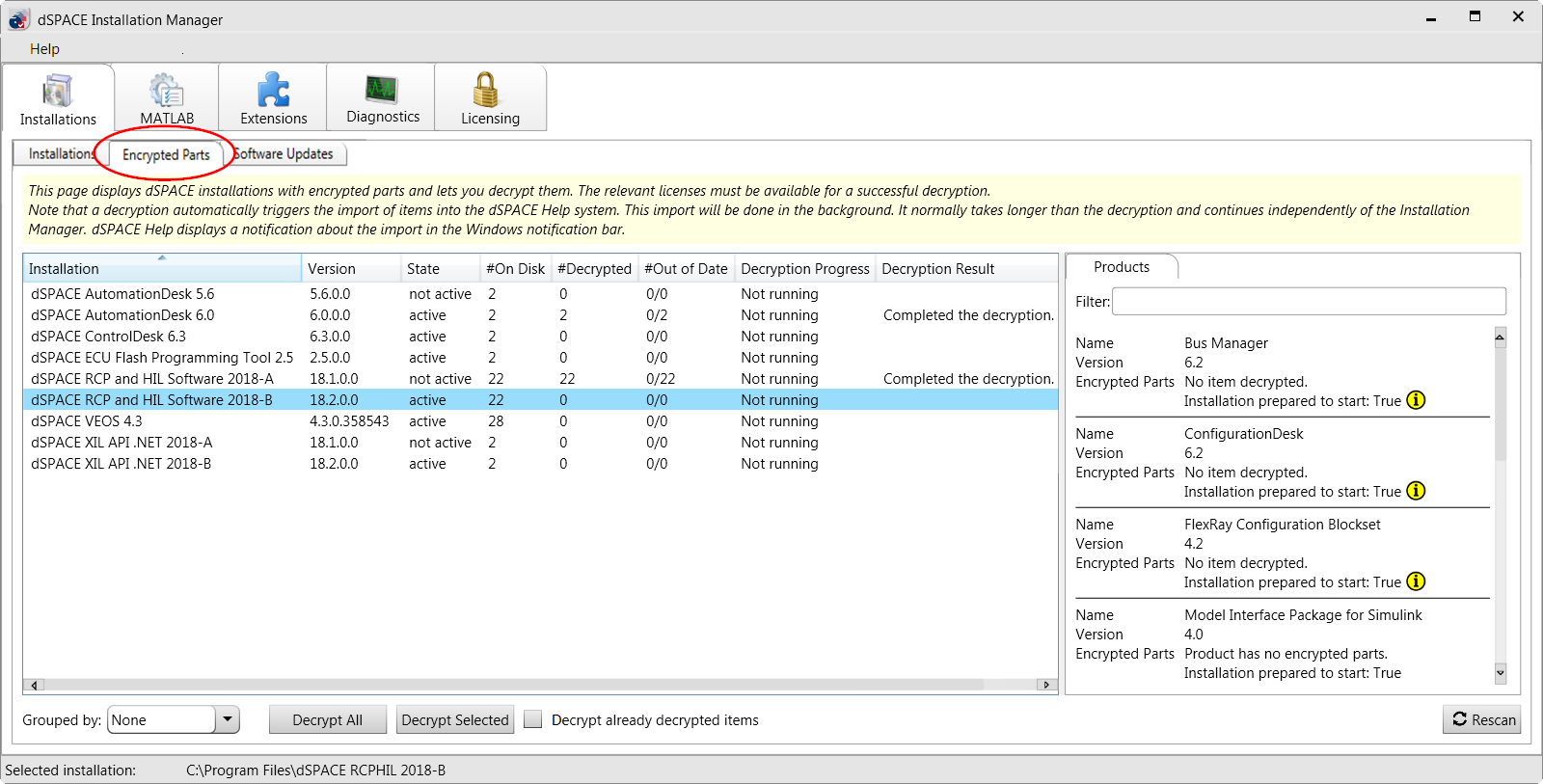
For instructions, refer to How to Decrypt Encrypted Archives of dSPACE Software Installations.
Result
You installed the required software and prepared the host PC to access the MicroLabBox II in a peer-to-peer connection.
Note
If you connect the configured Ethernet adapter of the host PC to an Ethernet network that provides a DHCP server, the DHCP server configures the Ethernet adapter of the host PC. The configured static IP address is only used in a peer-to-peer connection.
Next step
Connect the MicroLabBox II directly to the host PC. Refer to How to Connect the MicroLabBox II Directly to the Host PC.