Step 3: How to Simulate the Entire Model
Objective
Verifying the functional behavior of the entire model, including the communication between the processor model and the FPGA model.
Method: To simulate the entire model
In the FPGA model subsystem, remove the simulation ports of the Register In interface block, because the processor model now provides the required data.
Open the Register In block dialog.
On the Parameters page, clear Enable simulation port.
Press OK.
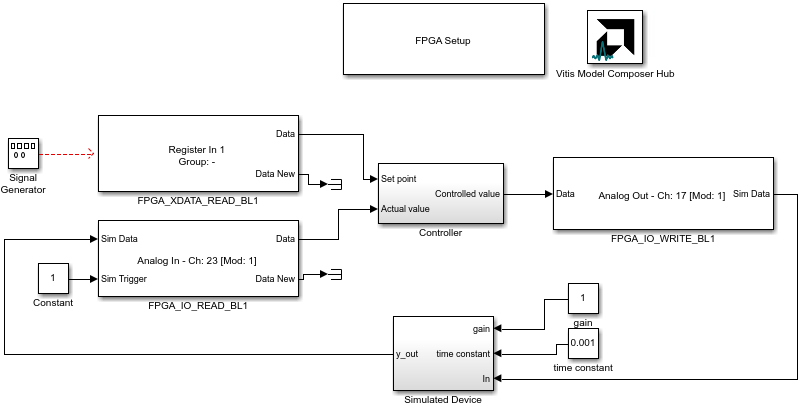
Remove the Simulink Signal Generator block that was connected to the simulation port.
Press Ctrl+S to save the model.
Press Ctrl+T to start the simulation.
Result
You simulate the FPGA functionality, the processor communication, and the processor functionality.
Next step
For the next step, refer to Step 1: How to Build the FPGA Application.