How to Show Accessible and Used Licenses
Objective
ConfigurationDesk provides a license overview, which shows the available licenses to use the license-protected features of ConfigurationDesk. The overview also shows the license status, for example, if a license is accessible, or in use in your active ConfigurationDesk application.
Method: To display accessible and used licenses
On the File ribbon, click Licenses.
Result
ConfigurationDesk opens the Licenses page.
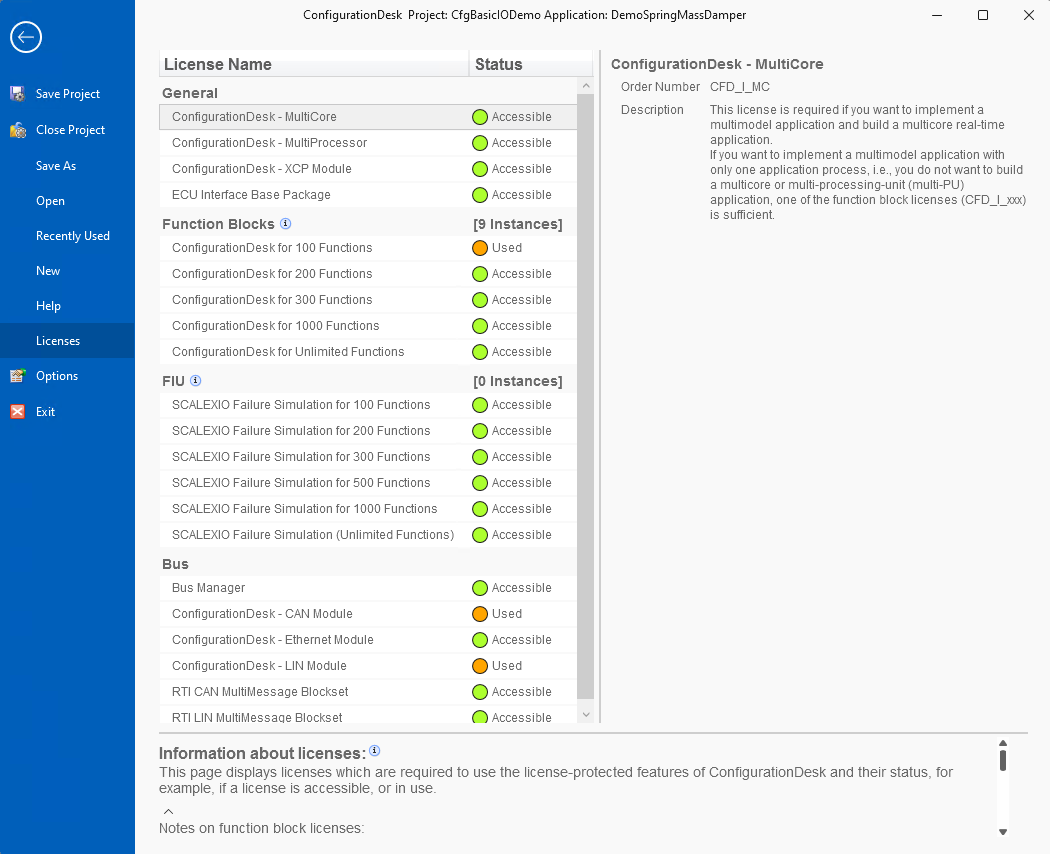
A license indicated as accessible can be used for your ConfigurationDesk projects.
A license indicated as used, is currently used by your active ConfigurationDesk application. For function block licenses and the SCALEXIO FIU licenses, the number of instances is displayed.