How to Set the Output Paths for Generated Files to the Default Paths
Objective
In some tutorial lessons, you will generate bus simulation containers (BSC files) or build a real‑time application. To ensure that your working results match the descriptions of the respective lessons, you have to set the output paths for the generated files to the default paths.
Precondition
The BusManagerTutorial project is open.
Part 1: To get the active output paths for generated files
Switch to the Buses view set.

Tip
If you use the Bus Manager (stand-alone), not all of the displayed view sets are available.
Select the View ribbon.
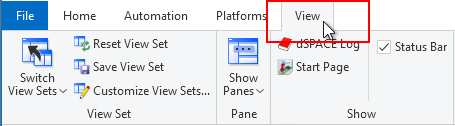
Tip
If you use the Bus Manager (stand-alone), not all of the displayed ribbon tabs are available.
On the View ribbon, click Show Panes - Interpreter.
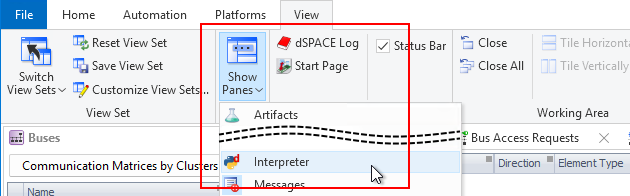
The Interpreter pane opens.
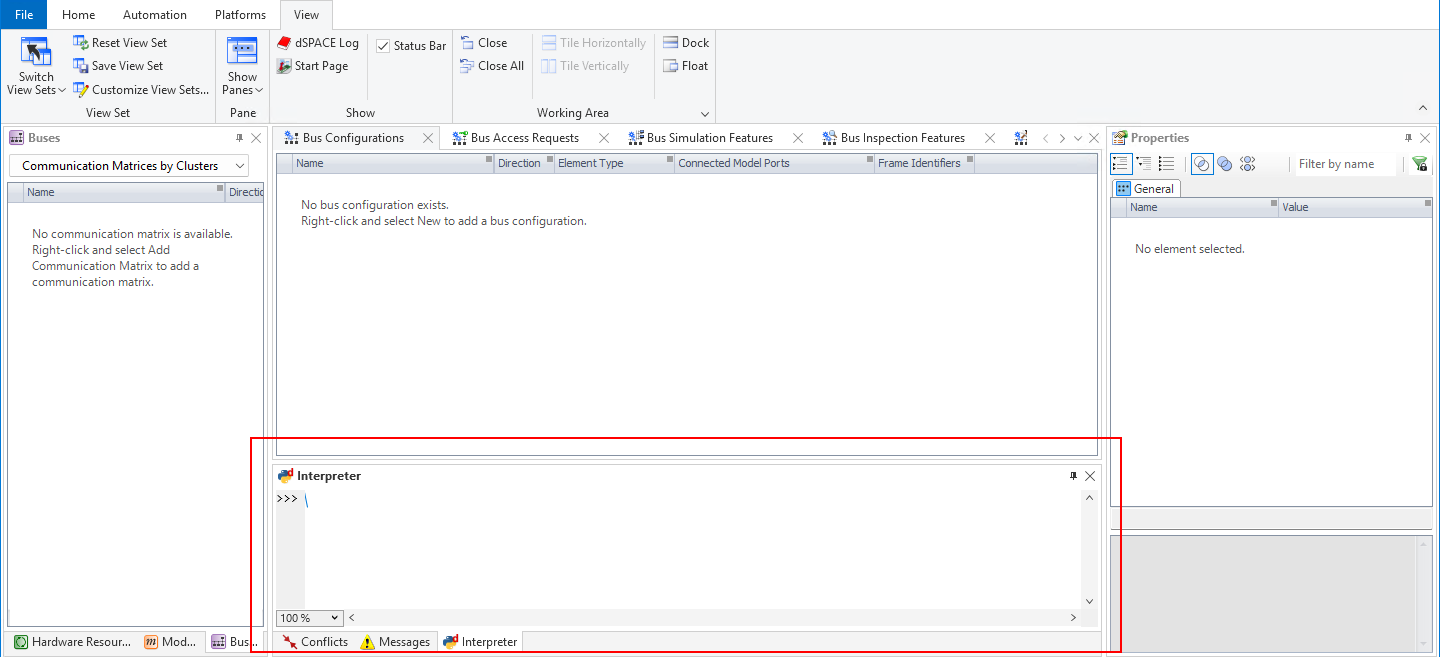
Paste the following code into the Interpreter pane:
from dspace.com import Enums
e = Enums(Application)
GetOutput = Application.ActiveApplication.GetConfiguredOutputPath

GetOutput(e.OutputPathType.BusSimulationContainers)
GetOutput(e.OutputPathType.BuildResults)

print(GetOutput(e.OutputPathType.BusSimulationContainers))
print(GetOutput(e.OutputPathType.BuildResults))
Press Enter.
The active output paths are displayed.
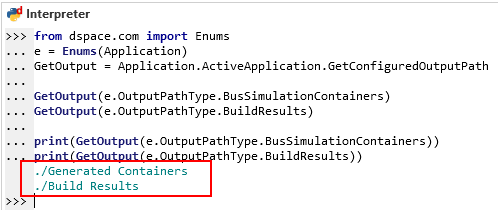
Check whether the active output paths are the default paths. The default paths are the following:
Bus simulation containers (BSC files):
./Generated ContainersBuild results of real‑time applications:
./Build Results
Interim result
You got the active output paths for bus simulation containers and the build results of real‑time applications, and checked whether the active paths are the default paths.
If the active output paths are the default paths, no further actions are required. Skip the following part and continue with the result of this topic. Refer to Result.
If the active output paths differ from the default paths, set the paths to the defaults. Continue with the next part.
Part 2: To set the active output paths to the default paths
Paste the following code into the Interpreter pane:
SetOutput = Application.ActiveApplication.SetOutputPath

SetOutput(e.OutputPathType.BusSimulationContainers,"./Generated Containers")
SetOutput(e.OutputPathType.BuildResults,"./Build Results")
Tip
If you use the Bus Manager (stand-alone), you do not have to set the output path for the build results to the default path. This is because building a real‑time application is not possible with the Bus Manager (stand‑alone). Therefore, you do not have to paste the last line into the Interpreter pane.
Press Enter.
The active output paths are set to the default paths.
Close the Interpreter pane.
Select the Home ribbon.
Result
You set the output paths for generated files to the default paths. You can now prepare the bus configuration tables. Refer to How to Prepare Bus Configuration Tables for Working with the Tutorial.