Step 3: How to Manually Assign a Bus Configuration to an Application Process
Objective
If you work without a behavior model and without hardware topologies, you have to assign bus configurations to application processes manually.
Method: To manually assign a bus configuration to an application process
Switch to the Buses view set.
In the Conflicts Viewer, select the Bus Configurations context set.
The Conflicts Viewer displays the No valid application process assigned conflict, which is relevant in the context of this step.
In the Bus Configurations table, select the Restbus_BusConfiguration node.
In the Properties Browser, select Restbus_ApplicationProcess from the Manually assigned application process list.
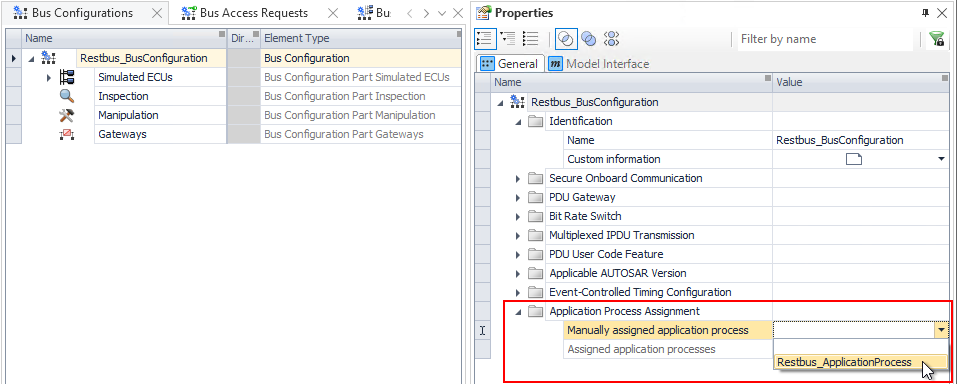
The Restbus_BusConfiguration is assigned to the Restbus_ApplicationProcess. This resolves the No valid application process assigned conflict.
In the Conflicts Viewer, click the context set filter to disable the display of conflicts.
Result
You manually assigned the Restbus_BusConfiguration to the Restbus_ApplicationProcess.
What's next
With this step, you finished the lesson. For a summary of the lesson and for more information, refer to Result of Lesson 8.