Results of Lesson 6
Results
AutomationDesk provides the following ways to integrate Python code:
You can specify Python code via Exec blocks.
You can specify PY files that contain Python code via ExecFile blocks.
You can add Python modules and packages to your custom libraries.
The values of project‑specific and automation blocks' data objects can be written and read in Python using the _AD_ alias. You can add data objects to a custom automation block to adapt the number of input and output variables to the new block's functionality.
Tip
The custom libraries that are shipped with AutomationDesk, such as XIL API Convenience, are implemented in the same way as shown in Step 3 of this lesson:
Each custom library provides sources in an integrated Python module or Python package. You can view their sources in the Python Editor in read-only mode.
The templates for data objects and automation blocks of those custom libraries can be instantiated in sequences.
You can use the related functions in the Python code of your Exec blocks. For more information, refer to the Access via Exec block paragraph of a block's reference.
Programming hints
When you execute a sequence, the blocks will be executed in one or more threads according to the implemented serial or parallel control flow. Objects that have been created in a thread must be deleted after execution. Normally, this is done automatically using the automation blocks from the AutomationDesk libraries. However, if you implement your task using Exec blocks, you have to manage the object handling in your own Python code. You can do this by using a TryFinally automation block as a frame for your custom Exec blocks, or by using the try statement in your Python code. For further information, refer to Basics of Execution Handling.
Representation in the User Interface
When you have performed all of the previous steps, a new project called IntegratingPython is opened in the Project Manager. It contains three folders with sequences that demonstrate the different ways to integrate Python scripts.
In your working folder, you created the PrintHeader.py file that contains a script which prints typical header information to the Output Viewer.
A new custom library called IntegratingPythonLib is open in the Library Bowser. It provides the following:
A Python module with a function to calculate the area of a circle
An automation block to calculate the area of a ring
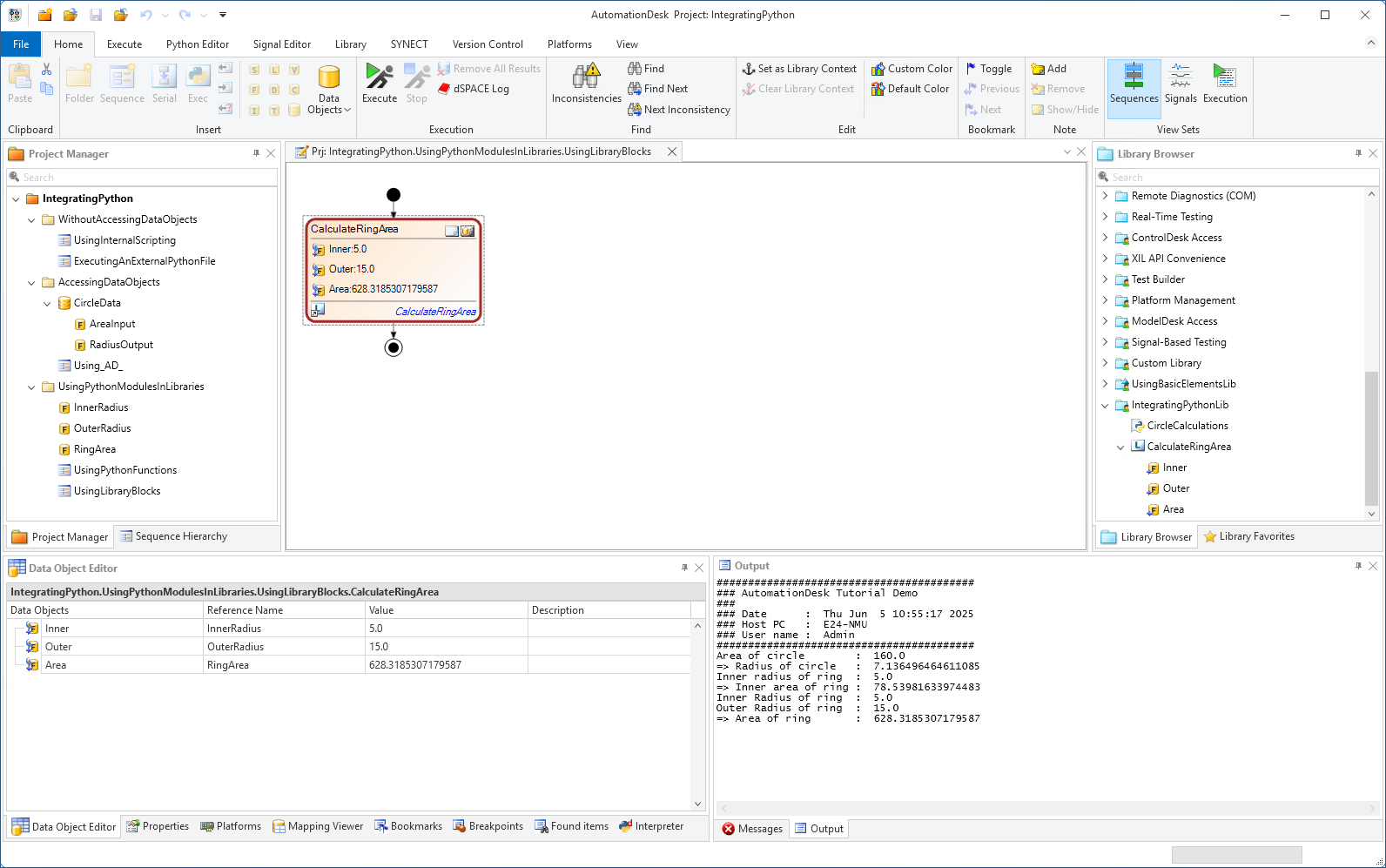
Prepared Demo
If there were problems in editing your own AutomationDesk project, or if you want to compare your results with the result we wanted to achieve, you can look at the prepared demo project Tutorialdemo06.adpx and the related custom library IntegratingPythonLib. You can find it at <DocumentsFolder>\Tutorial Demos.
Further information
For detailed information about the commands used, refer to Commands And Dialogs.
For detailed information about the automation blocks used, refer to Automation Blocks.
For information about the basic principles of AutomationDesk and a detailed description of using Python scripts in AutomationDesk, refer to Basics of Execution Handling and Using Python in AutomationDesk.
What's next
The next lesson shows you how to work with a simulation platform.