Results of Lesson 5
Results
If you have performed all of the previous steps, the Project Manager contains a new folder called UsingTemplates. It contains a 16-bit variant of the PinStatesUnderTest list, a sequence that uses block templates and a parameterized instance of a the TestPinStates_Template.
If you execute the UsingBlockTemplates sequence after the synchronization, the start message of the test is printed in red.
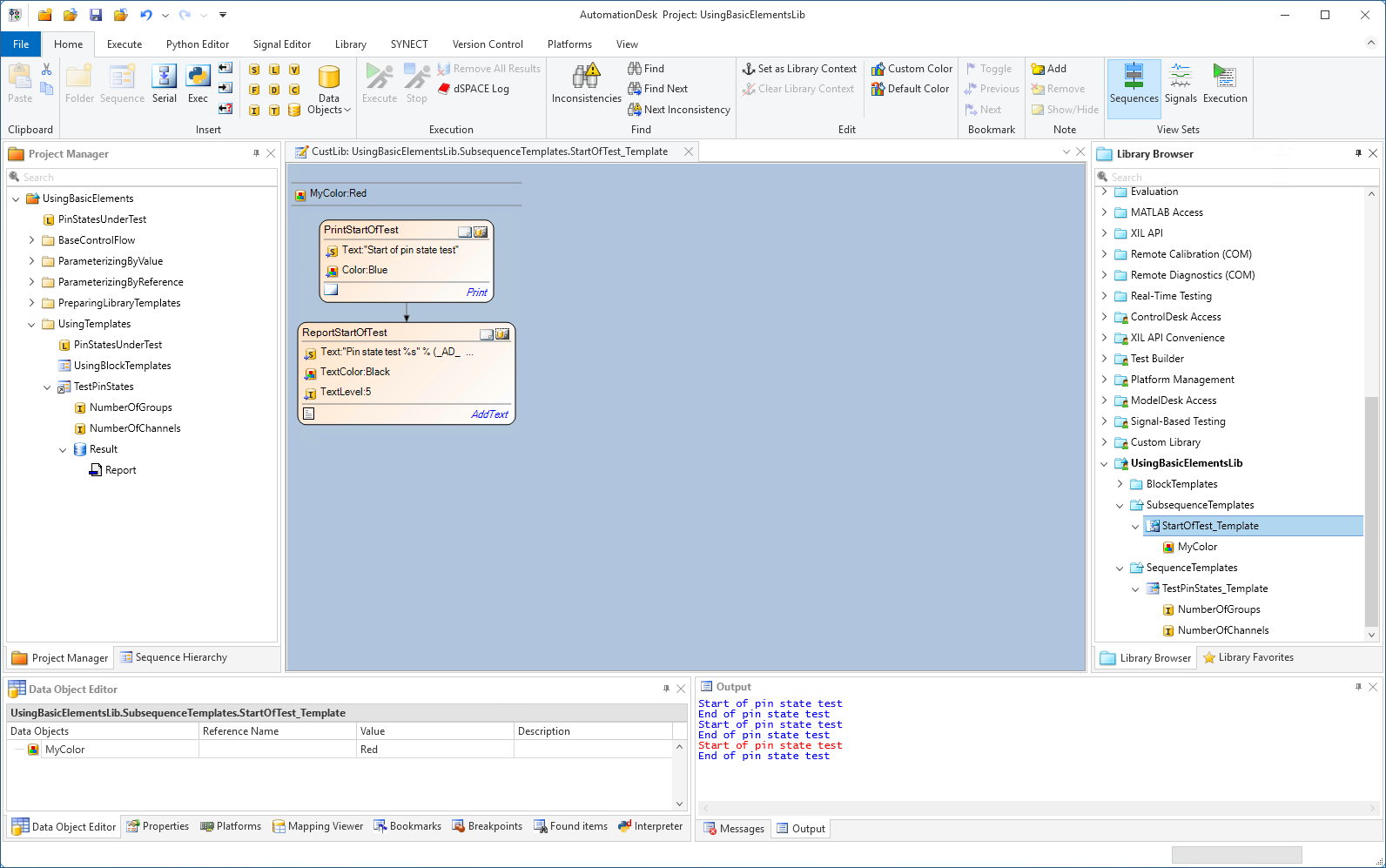
If you are working with custom libraries, it is necessary to know about the update mechanism. Until the sequence elements are linked to the corresponding custom library elements, you can update your sequence with modified interfaces.
Synchronization covers new and removed data objects of a library element, and modified subsequences.
Specified properties of the block remain unchanged.
Prepared demo
If there were problems in editing your own AutomationDesk project, or if you want to compare your results with the result we wanted to achieve, you can look at the prepared demo project Tutorialdemo05.adpx. You can find it at <DocumentsFolder>\Tutorial Demos.
Further information
For detailed information about the commands used, refer to Commands And Dialogs.
For detailed information about the automation blocks used, refer to Automation Blocks.
For detailed information about the static and dynamic link modes of custom library blocks, refer to Basics on Link Modes.
For information about the basic principles of AutomationDesk and a detailed description of applying user-defined library elements, refer to Working with Custom Libraries.
What's next
The next lesson gives you an overview of how to use the Python programming language in AutomationDesk.