Step 3: How to Create an Automation Block Template
Introduction
The created project contains blocks that can be reused for similar automation tasks.
One of these is the PrintEndOfTest block, which can be used as a standard action to indicate the end of a test. If you save this block in your custom library, you can use it in other sequences without parameterizing it each time.
Method: To create an automation block template
Open the TestPinStates_Prepared sequence in the Sequence Builder.
In the Sequence Builder, select the PrintEndOfTest block.
The selected block is marked with a red frame.
Drag the block from the Sequence Builder to the BlockTemplates library folder in the UsingBasicElementsLib library.

The new PrintEndOfTest template is displayed in the library.
In the Library Browser, rename the new template to
EndOfTest_Template.This is not mandatory, but descriptive naming makes it easier to distinguish templates from their prototypes.
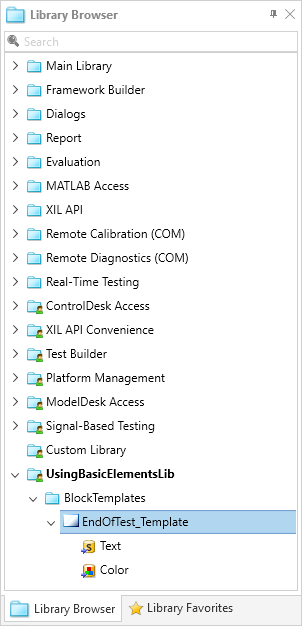
Result
If you select the EndOfTest_Template block template, you can see that its parameterization is the same as the parameterization of the PrintEndOfTest prototype block.
What's next
You created an automation block template.
In the next step you create a template for a subsequence.