Step 3: How to Generate a Report
Introduction
Having defined the report settings in the previous step, you can now generate a report on the execution results.
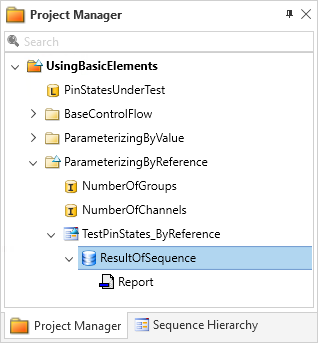
When report generation has finished, the report appears as a child element of the result in the Project Manager.
Part 1: To generate a report
Choose Generate Report from the context menu of the result node in the Project Manager to start the report generation.
By default, the first generated report of a result is called Report.
The newly created report appears as a child element of the result in the Project Manager.
Tip
The report is stored in the folder structure of your AutomationDesk project. You can store a copy of the generated report by exporting it via Export Report from the context menu of the report node in the Project Manager.
Continue with next part
You generated a report. To open it continue with the next part.
Part 2: To open the report
In the Project Manager, open the context menu of the report element.
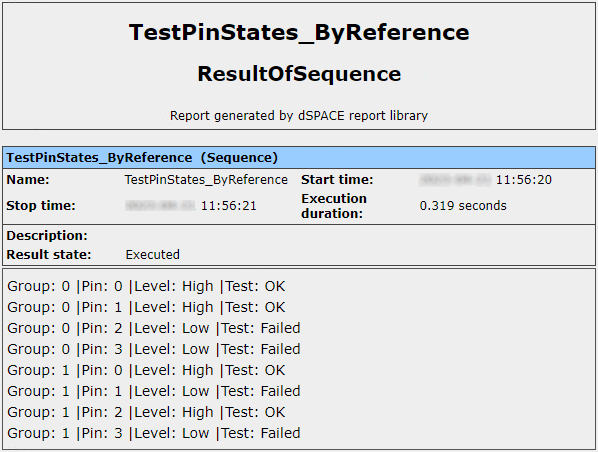
Choose View Report to open the report.
Tip
You can also open the report by double-clicking the report element in the Project Manager.
What’s next
To compare your work with the result you should have achieved, refer to Results of Lesson 3.