Results of Lesson 2
Results
If you performed all the steps in this lesson, your AutomationDesk project contains the new ParameterizingByValue and ParameterizingByReference folders, which contain different development stages of the workflow's parameterization.
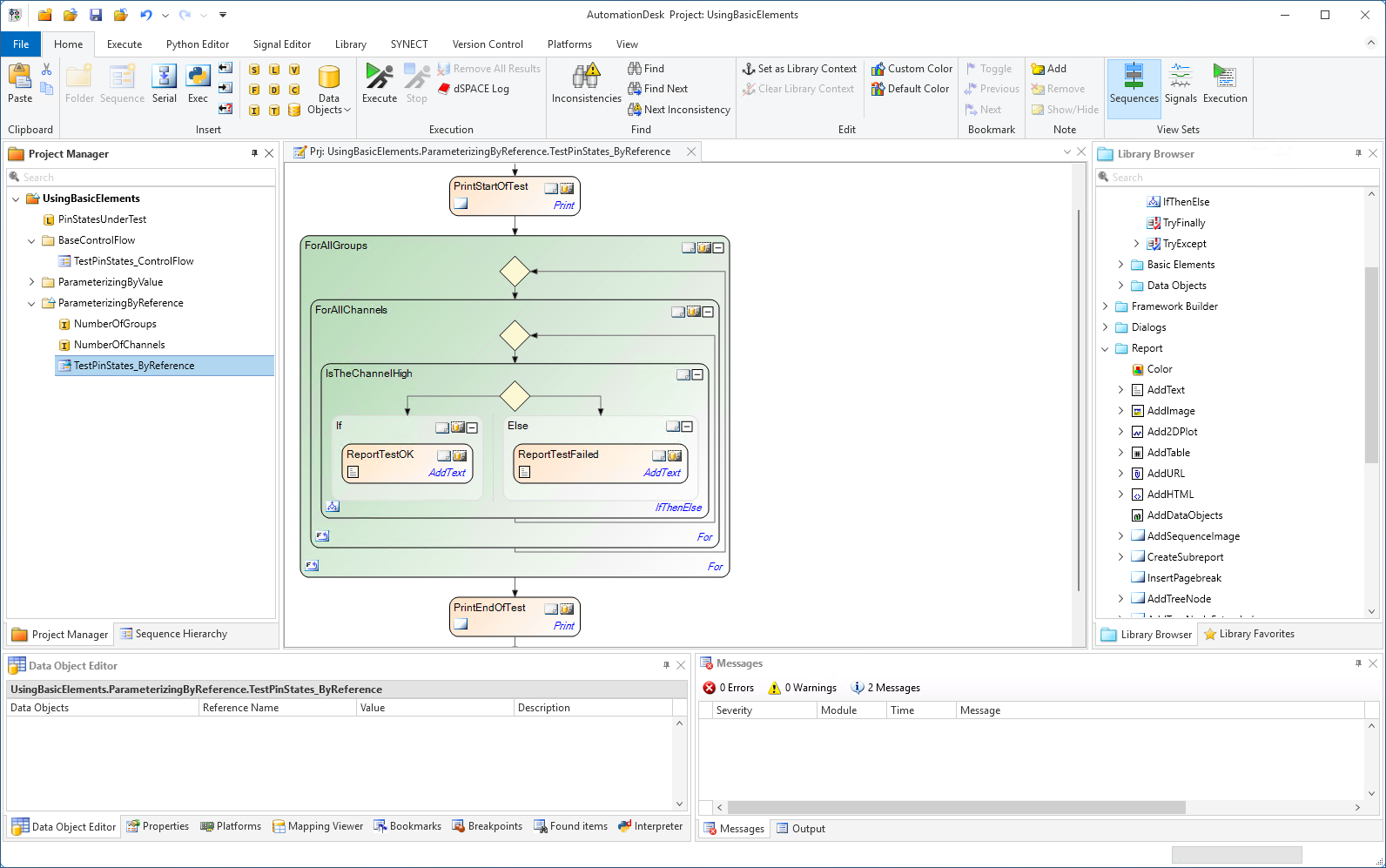
You have learned how to modify the general properties of automation blocks for the purpose of information and to get a clear view of the sequence.
You have also learned how to parameterize an automation sequence. There are different ways of parameterizing an automation block. To parameterize by value means to use local data objects. To parameterize by reference means to define project-specific data objects and to parameterize an automation block by referencing them.
You learned to access project-specific data objects in Python expressions via the _AD_ alias. This is used to parameterize the automation block that you utilize to print messages to the output and to the report during execution.
Prepared Demo
If you had problems parameterizing your own AutomationDesk project, or if you want to compare your results with the result we wanted to achieve in this lesson, you can look at the prepared demo project Tutorialdemo02.adpx. You can find it at <DocumentsFolder>\Tutorial Demos.
Further information
For detailed information about the commands used, refer to Commands And Dialogs.
For detailed information about the automation blocks used, refer to Automation Blocks.
For information about the basic principles of AutomationDesk and a detailed description of parameterizing automation sequences, refer to Building Automation Sequences.
What’s next
The next lesson shows you how to execute an automation sequence. It explains how you can view the execution results and how to generate a report.