Step 5: How to Parameterize Automation Blocks by Reference
Introduction
This step shows how to define project-specific data objects and then parameterize automation blocks with those data objects by reference. To parameterize by reference means that you do not specify a value for a data object, but the name of another data object that holds the value.
First you duplicate the ParameterizingByValue project folder to keep the current version of your sequence. This allows you to reconstruct the main learning steps again.
Part 1: To duplicate the project folder
In the Project Manager, right-click the ParameterizingByValue folder and select Copy from the context menu to copy the folder to the Clipboard.
Right-click the UsingBasicElements project and select Paste from the context menu to insert the folder from the Clipboard to the project.
A folder named ParameterizingByValue1 is added to the project.
Rename the new folder to
ParameterizingByReferenceand the sequence it contains toTestPinStates_ByReference.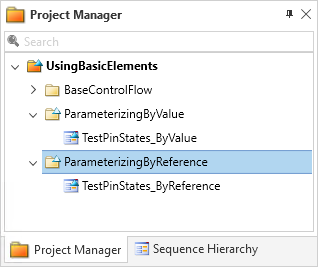
Continue with the next part
Next, you generate a two-dimensional list to represent the grouped output channels of the electronic device to be tested. Remember that a value of 1 represents a High level and 0 a Low level. The list is parameterized with arbitrary 0 and 1 values.
Furthermore, two integer data objects are needed to parameterize the number of groups and the number of channels of the device's output.
Part 2: To define project-specific data objects
Right-click the UsingBasicElements project and select New Data Object - List from the context menu to create a new data object of list type.
The List data object displays at the top level of the UsingBasicElements project.
Rename the new data object to
PinStatesUnderTestby using F2.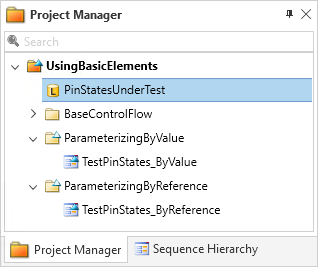
Choose Edit from the context menu of the PinStatesUnderTest element to open the Value Editor.
Specify a 2x4 matrix by adding two nested lists with four integers each to the PinStates data object. Replace the [] in the Value edit field with the following and click OK to close the dialog:
[[1, 1, 0, 0], [1, 0, 1, 0]]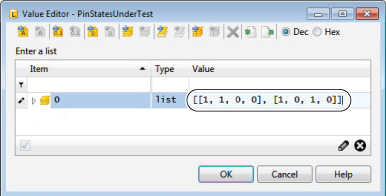
In the Project Manager, right-click the ParameterizingByReference folder and select New Data Object - Integer from the context menu to create a new integer data object.
On the Home ribbon, in the Insert ribbon group click
 to use an alternative way for creating another integer data object in the selected folder.
Rename the two new integer data objects to
NumberOfGroupsandNumberOfChannels.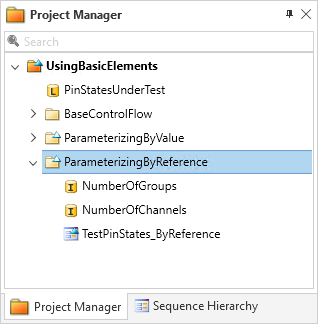
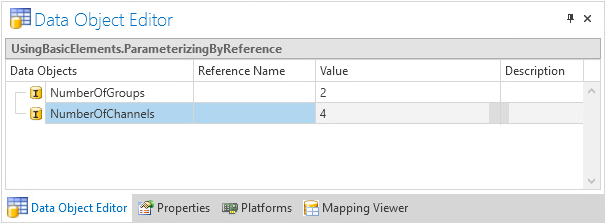
Select the ParameterizingByReference folder to show its data objects in the Data Object Editor.
Edit the values of the integer data objects:
NumberOfGroups =
2NumberOfChannels =
4
Continue with next part
You created project-specific data objects that hold values.
In the next part, you use the names of those data objects as the reference names to parameterize data objects in an automation block.
You can specify reference names via the related edit fields in the Data Object Editor. A more convenient way is to select them from the available data objects provided by the Data Object Selector.
Part 3: To parameterize automation blocks by referencing project-specific data objects
In the Sequence Builder, select the ForAllGroups block to show its data objects in the Data Object Editor.
In the Data Object Editor, select the cell of the Stop data object in the Reference Name column to make the cell editable.
Click the Browse button in the cell to open the Data Object Selector.
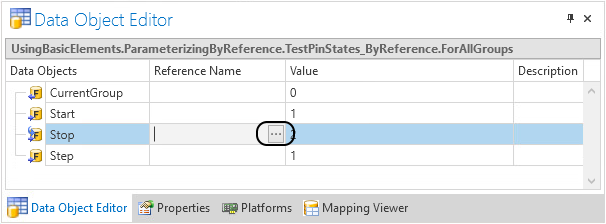
The Data Object Selector opens.
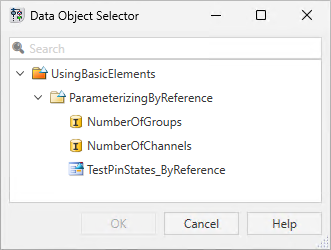
Select the NumberOfGroups data object and click OK to close the Data Object Selector.
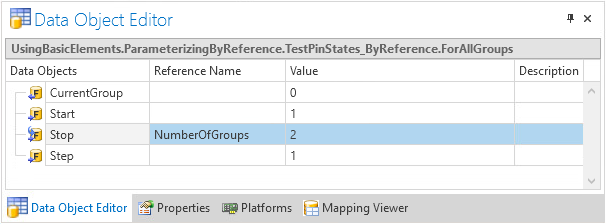
Now the name of the project-specific NumberOfGroups data object is specified as the reference of the Stop data object of the ForAllGroups block. This means, that you can change the stop value of the ForAllGroups block by editing the NumberOfGroups data object.
A small blue arrow beside the corresponding symbol indicates that Stop is parameterized by reference.
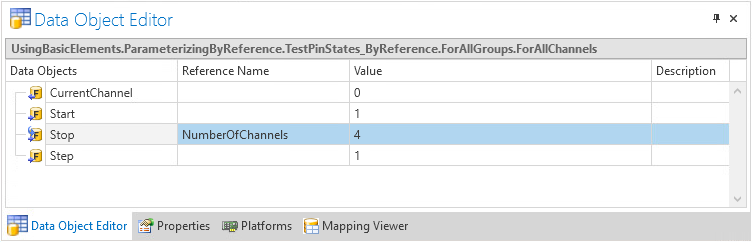
In the Sequence Builder, select the ForAllChannels block to show its data objects in the Data Object Editor.
In the Data Object Editor, set the NumberOfChannels data object as the reference for the block's Stop data object.
Revoking references
Tip
To revoke a reference, open the Data Object Editor. Select the element whose reference you want to cancel and delete its Reference Name entry.
What’s next
You defined project-specific data objects and used them to parameterize blocks in your sequence by reference.
In the next step, you access the value of data objects in Python.