Step 3: How to Create a New Sequence
Introduction
In this step you will learn how to create a new sequence. The sequence represents your automation task and will later contain the control flow.
Having defined the BaseControlFlow folder for the UsingBasicElements project, you can now create a new sequence in it.
Part 1: To create a new sequence
In the Project Manager click BaseControlFlow to select your folder.
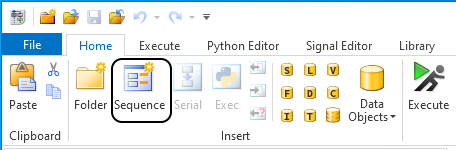
On the Home ribbon, click Insert - Sequence to create a new sequence.
The new sequence appears as a child of the BaseControlFlow folder in the project tree.
Continue with next part
You added a new sequence to the BaseControlFlow folder. You can now rename the sequence. Continue with the next part.
Part 2: To rename a sequence
Right-click Sequence in the Project Manager to open the context menu of the new sequence and choose View Properties.
In the Properties pane, type
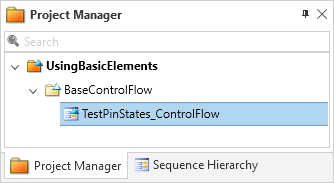
TestPinStates_ControlFlowin the Name edit field to rename the new sequence.After you pressed Enter or changed the focus to another element the modification is displayed in the Project Manager.
Alternative method
Tip
Alternatively, you can rename a selected sequence in the Project Manager directly by pressing F2 and overwriting the existing name.
What’s next
You can now build a control flow in the next step.