How to Start AutomationDesk
Precondition
AutomationDesk is installed.
Method: To start AutomationDesk
Suppose that <x.y> is the version of the installed dSPACE AutomationDesk. On the Start menu, choose All Programs - dSPACE AutomationDesk <x.y>, and click dSPACE AutomationDesk <x.y>.
AutomationDesk opens.
Result
You started AutomationDesk.
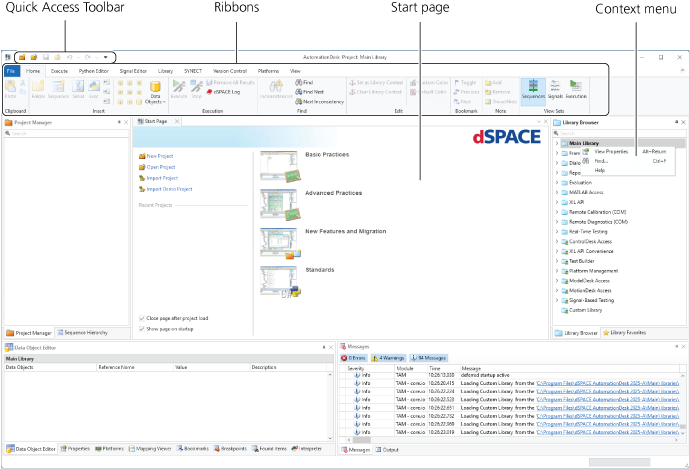
You can invoke AutomationDesk's commands using:
The Quick Access Toolbar
The provided ribbons
The AutomationDesk Start Page
The context menus of the displayed panes and of the elements they contain
Tip
The installation process automatically creates a shortcut on the desktop. You can double-click  to start AutomationDesk.