Example Task for Using the Basic Elements of AutomationDesk
Introduction
To learn how to transform your automation task to an AutomationDesk project and your test routine to an AutomationDesk sequence that represents its control flow. No platform access is required.
Your first automation task
Your first automation task is a simple program to read data within a loop and print messages which correspond to a specified condition. Suppose you have an electronic device with 8 digital outputs, arranged in 2 groups of 4 bits each.
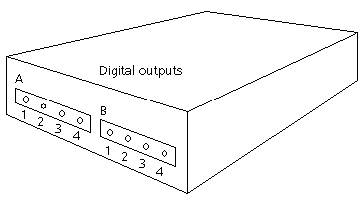
In any experiment setup, the digital outputs get some input, and in response to this input they generate a TTL signal (high or low level, equals value 1 or 0). The setpoint of all outputs is 1.
Note
To simplify matters, the output signals will not be read out directly from connected hardware. Instead, the values will be simulated by a 2x4 data array.
The output signals are to be analyzed group by group. A message is to be printed for the bit's value. Finally, when all the signals have been read, an end-of-program message must be output.
As the output signals are to be analyzed in groups, you will use 2 For loops to iterate over the elements of the two-dimensional list of values. The outer For loop will be applied to the groups, the inner For loop will be used to pass through the bits.
Lessons
To fulfill the first task, you have to work through the following lessons:
Lesson 1: Creating Your First Project
You will create a structured project containing an automation sequence.
Lesson 2: Parameterizing the Automation Sequence
You will parameterize the elements of an automation sequence.
Lesson 3: Executing the Automation Sequence
You will execute an automation sequence and generate a report on the execution results.
Lesson 4: Creating Custom Libraries (only necessary for library developers)
You will save automation tasks as reusable library elements.
Lesson 5: Working With the Custom Library
You will build an automation sequence using custom libraries.