Step 3: How to use Python Modules in Custom Libraries
Introduction
To manage Python sources together with the related AutomationDesk elements, such as automation blocks, you can add Python modules and packages to a custom library. This lets you create, edit, and store the Python code by means of AutomationDesk in the custom library's folder in the file system.
Your task
The task in this step is to calculate the areas of a ring that is specified by its inner and outer radius.
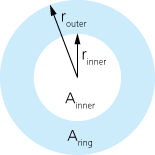
The formulas are:
For the inner area:
For the ring area:
The calculated result for the ring area could be required in other automation tasks, so it must be written to a project-specific data object.
Part 1: To create a Python module in a custom library
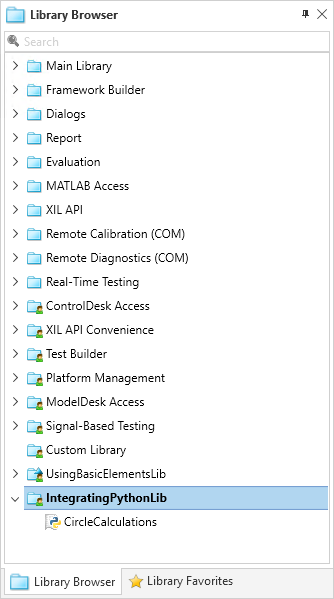
On the Library ribbon, click Custom Library - New to create a new custom library.
The Create Custom Library dialog opens.
In the File name edit field, enter
IntegratingPythonLibas the name of the new custom library and click Create.The IntegratingPythonLib library is created in your working folder and the custom library element is displayed in the Library Browser.
From the context menu of the IntegratingPythonLib library, select New Python module.
A new element named module is added to the custom library in the Library Browser.
Rename the new Python module to
CircleCalculations.Double-click the CircleCalculations module to open it in the Python Editor.
Enter the following Python code to implement a function that calculates the area of a circle by its radius:
import math
def CalculateCircleArea(r):
    f = math.pi*math.pow(r,2)
    return (f)
This script only defines the
CalculateCircleAreafunction. The function is not executed.Close the Python Editor.
On the Library ribbon, click Custom Library - Save to save the module together with the library.
Continue with the next part
You created a new custom library that contains a Python Module.
In the next part, you use the function that is provided by the Python module in an Exec block.
Part 2: To use functions from a Python module in an Exec block
In the Project Manager, add a new folder to the IntegratingPython project and rename it to
UsingPythonModulesInLibraries.Add a Float data object to the folder and rename it to
InnerRadius.Select the UsingPythonModulesInLibraries folder, and in the Data Object Editor, specify
5.0as the value of the InnerRadius Float data object.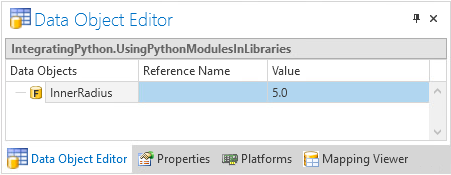
Add a new sequence to the UsingPythonModulesInLibraries folder and rename the sequence to
UsingPythonFunctions.In the Sequence Builder, add a new Exec block to the UsingPythonFunctions sequence and rename it to
CalculateInnerArea.From the block's context menu, select Set Python Namespace – Local.
The block icon changes to indicate that for its script execution the local namespace is used.
Select the CalculateInnerArea Exec block and click Home - Insert - Float to add a Float data object to the block's parameters.
In the Data Object Editor, rename the Float data object to
Radiusand set the project-specific InnerRadius Float data object as its reference.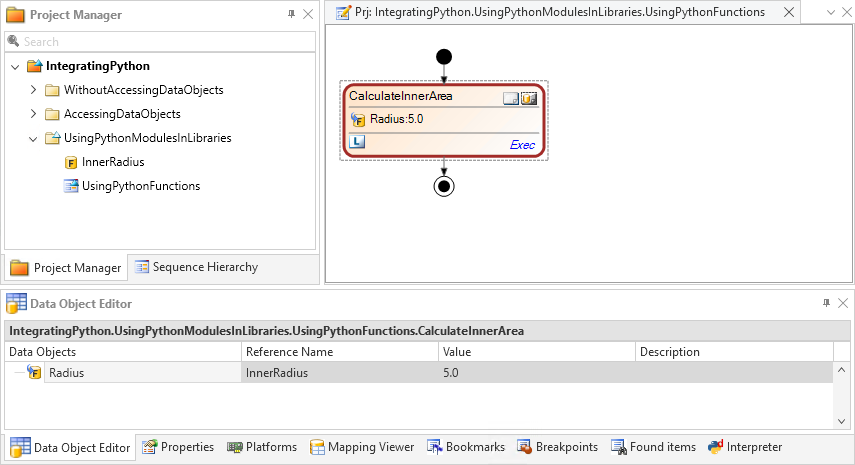
In the Sequence Builder, double-click the CalculateInnerArea block.
The CalculateInnerArea Python script is opened in the Python Editor.
In the Python Editor, enter the following Python code:
import CircleCalculationsInnerArea = CircleCalculations.CalculateCircleArea(_AD_.Radius) print("Inner radius of ring : ", _AD_.Radius) print("=> Inner area of ring : ", InnerArea)InnerArea = NoneThis script uses the CalculateCircleArea function of the custom library's module to calculate the inner area of the ring.
Close the Python Editor and save your project.
Executing the sequence
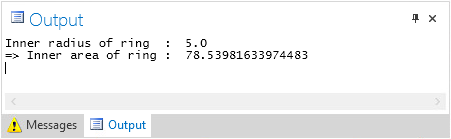
When you execute this sequence, the Exec block reads the value of the project‑specific InnerRadius data object. It calculates the related inner area of the ring and prints the result to the Output Viewer.
Tip
The path to Python modules that are integrated in custom libraries is automatically registered in the Python search path that is used by the
importstatements. You do not need to extend the Python search path.You can add additional data objects to an Exec block to use them as block parameters. This is shown by the Radius Float data object in the example above.
Continue with the next part
You used the function from the custom library's Python module in the Python code of an Exec block.
In the next part, you create a template for an automation block that uses the Python module.
Part 3: To create a block template in the library that uses the Python module
In the Library Browser, select the IntegratingPythonLib library.
Click Home - Insert - Exec to add a new Exec block to the library and rename the new block to
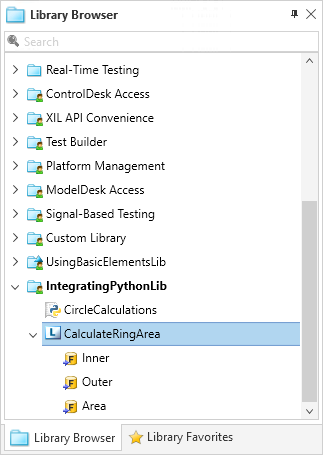
CalculateRingArea.Click Home - Insert - Float three times to add three Float data objects as the block's parameters. Rename them to
Inner,Outer, andArea.From the context menu of the Area data object, select Set Data Object as Output.
This specifies that the CalculateRingArea block provides the value of this data object as output data. This parameter of the block is read-only.
For each of the Inner and Outer data objects, select Set Data Object as Input from their context menu.
This specifies that the CalculateRingArea uses this parameters as input data.
Double-click the CalculateRingArea block to open it in the Python Editor.
Enter the following Python code to implement a block that calculates the area of a ring by its inner and its outer radius:
from CircleCalculations import CalculateCircleArea_AD_.Area = CalculateCircleArea(_AD_.Outer) - CalculateCircleArea(_AD_.Inner) print("Inner radius of ring : ", _AD_.Inner) print("Outer radius of ring : ", _AD_.Outer) print("=> Area of ring : ", _AD_.Area)To calculate the areas of the inner and the outer circle, the script uses the
CalculateCircleAreafunction that you implemented in the CalculateCircleArea module.Close the Python Editor.
On the Library ribbon, click Custom Library - Save to save your changes and make the block template available to be used in sequences.
Continue with the next part
You created a template for an automation block that uses the Python module.
In the next part, you use this block in a sequence.
Part 4: To use blocks from the custom library in a sequence
In the Project Manager, add two Float data objects to the UsingPythonModulesInLibraries folder and rename them to OuterRadius and RingArea.
Add a new sequence to the UsingPythonModulesInLibraries folder and rename it to
UsingLibraryBlocks.Double-click the UsingLibraryBlocks sequence to open it in the Sequence Builder.
From the Library Browser, drag an IntegratingPythonLib - CalculateRingArea block template to the sequence.
A new instance of the block template is added to the sequence.
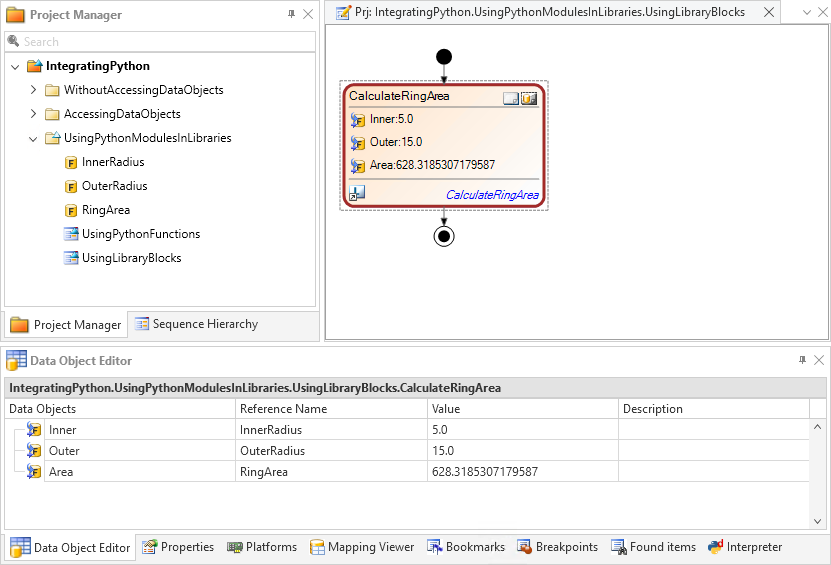
In the Data Object Editor, set the project-specific OuterRadius data object as the reference for the block's Outer data object.
Specify
15.0as the value of the OuterRadius data object.Specify the project-specific InnerRadius data object as the reference for the block's Inner data object.
Specify the project-specific RingArea data object as the reference for the block's Area data object.
Executing the sequence
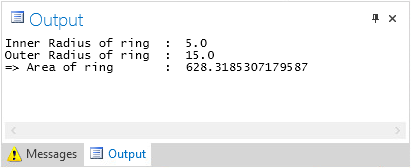
When you execute this sequence, the CalculateRingArea block reads the values of the project‑specific data object InnerRadius and OuterRadius. It calculates the ring area, writes it to the project-specific RingArea data object, and prints it to the Output Viewer.
What's next
For a summary of the lesson's exercises, refer to Results of Lesson 6.