Step 1: How to Register Your Platform
Introduction
To register a platform means to make it known to the host PC that runs AutomationDesk and to configure its connection. The registration and all the platform management are shared by the dSPACE software products that are installed on the same host PC, for example, ControlDesk.
To handle platform management tasks manually, you can use AutomationDesk's Project Manager or the commands on the Platforms ribbon. For the following steps, the Platform Manager is used.
Method: To register your platform
If the Platform Manager is hidden, you have to add it to the current screen arrangement. On the View ribbon, click Pane - Show Panes - Platforms to display the Platform Manager.
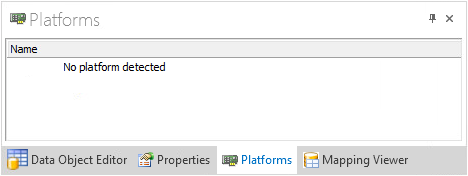
If the Platform Manager displays your platform, your platform is already registered. You can skip the rest of this step and proceed with Step 2: How to Load a Simulation Application to Your Platform and Start It.
In the Platform Manager, right-click a blank field to open the context menu and select Register Platforms to open the Register Platforms dialog.
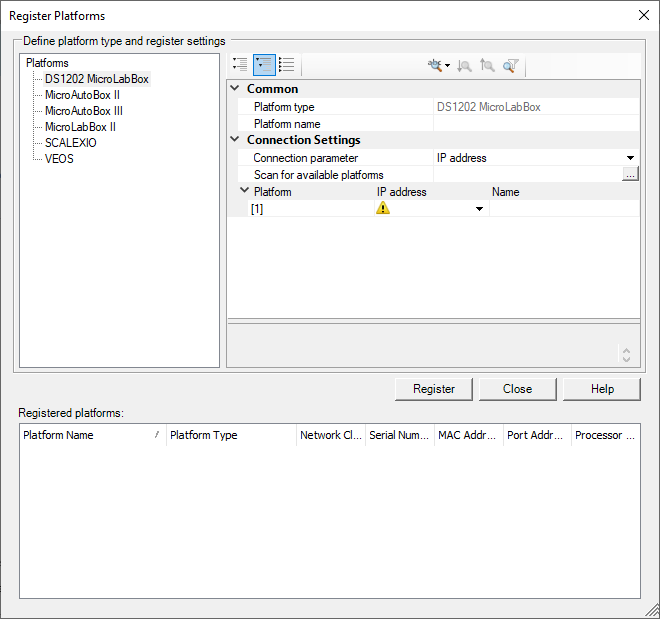
Select the platform type of the platform to be connected from the Platforms list. In this tutorial, we use a VEOS.
The platform type-specific property list is shown on the top right pane of the dialog.
In the Connection Settings category of the property list, set the Connection type property to NET.
In the Network client edit field, enter the IP address of your platform. In this tutorial, we use a locally installed VEOS for offline simulation.
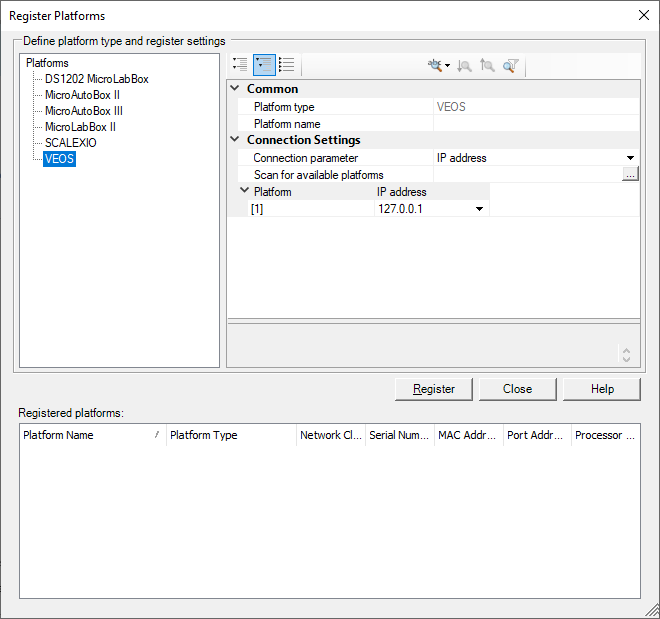
Click Register to start the registration.
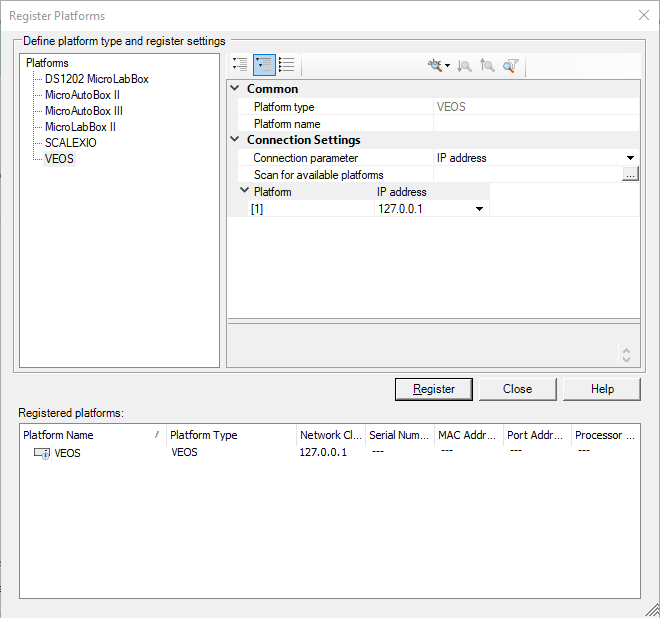
After registration, the platform is added to the Registered Platforms list.
Click Close to close the dialog.
Result
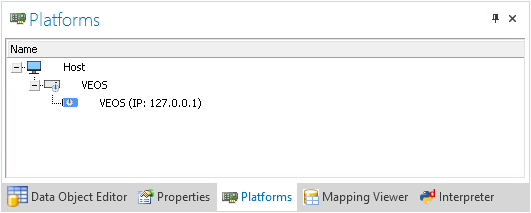
The registered platform is displayed in the Platform Manager. The red square ( ) indicates that there is no simulation application running on the platform.
What’s next
Now you can download a simulation application to the registered platform. The next step describes how to do this.