Results of Lesson 8
Results
If you performed all the steps in this lesson, you configured a signal-based test and executed it.
You added the SignalBasedTesting folder to your project that contains the TurnSignalSBT sequence which implements a standard test routine. The test routine is configured via signals that are contained in an STZ file. Its file name and path are parameterized in the sequence's TestCaseDescription data object. To configure the platform access, the data objects MAPortConfiguration, Mapping and TaskName that you created in the previous lesson are used.
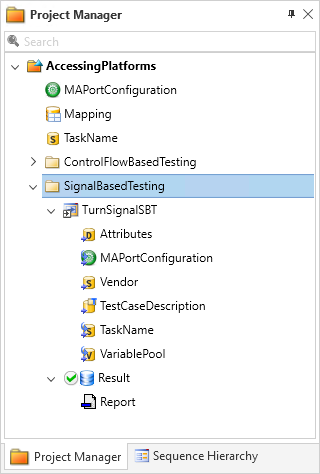
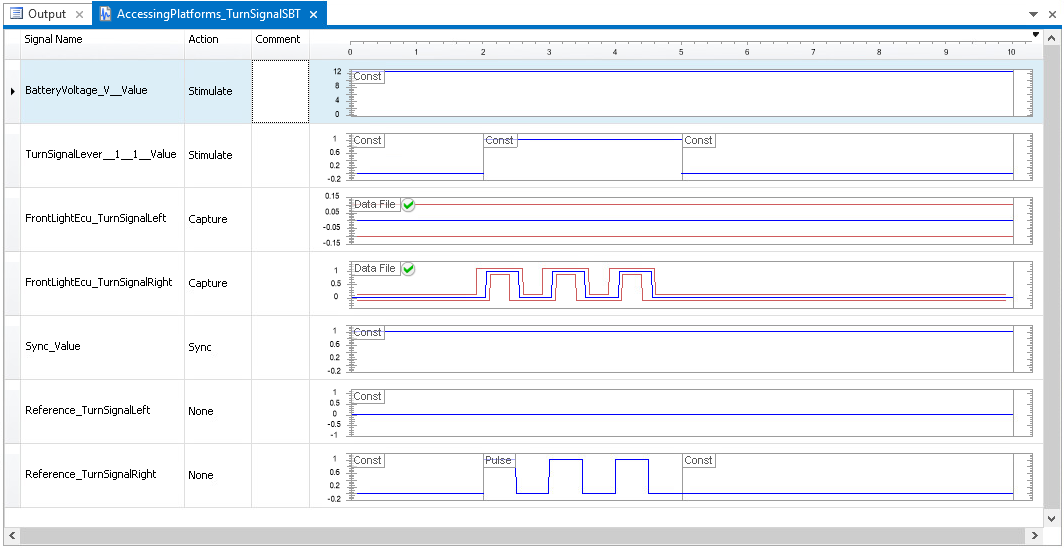
You learned how to use the Signal Editor to configure the signals of a test case description. You created the related STZ file that contains the description of the signals used during the test for stimulating and capturing simulator variables. You also configured reference signals and evaluation methods to compare the captured data with expected data and to issue a verdict on whether or not the test was passed.
Your test case description in AccessingPlatforms_TurnSignalSBT.stz configures a constant battery voltage and a turn-signal lever that is switched to the right and back (identically to the test case that is implemented as a control-flow-based test in the previous lesson). The state of the front lights is captured and compared to the expected behavior that is specified via their reference signals.
Executing the SignalBasedTesting project folder leads to the following report:
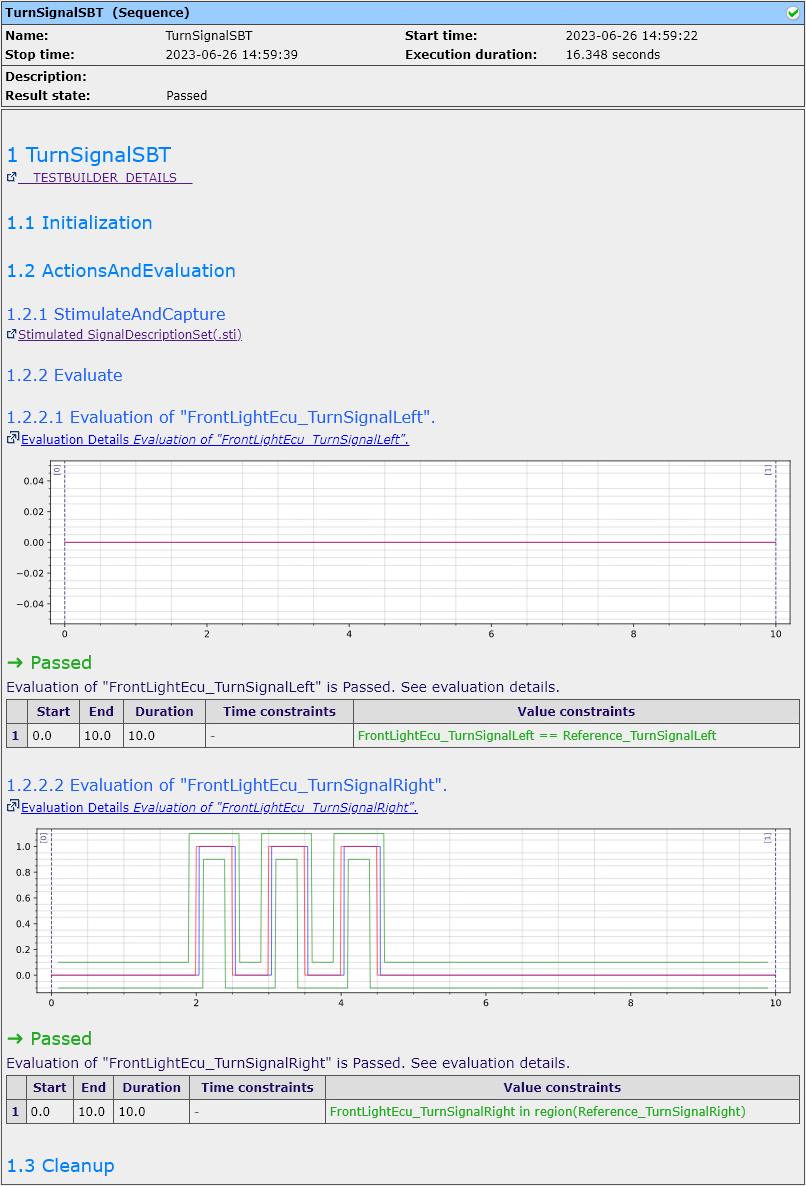
You can see that the result state for all test steps and phases is Passed ( ). The right front turn signal reacts within the tolerances.
Prepared Demo
If you had problems while working through this lesson, or if you want to compare your results with the result we wanted to achieve, you can look at the prepared demo project Tutorialdemo08.adpx in <DocumentsFolder>\Tutorial Demos.
Using other platforms
You can also work through this lesson if you do not have the same real-time hardware as used here. For more information, refer to Using other platforms.
Further information
For more information on using the Signal-Based Testing library, refer to Implementing Signal-Based Tests.
For more information about the automation blocks used, refer to the Signal-Based Testing Library.
What's next
The summary gives you a short overview of the lesson results in this tutorial.